Insights & Updates
The latest trends, build notes, and behind-the-scenes stories from across the PixelForce product and engineering team.
Latest articles

Proven Ways to Monetise Your Mobile App
Monetising an app requires smart strategies to capture user interest. Explore proven ways to make money through your mobile app with techniques like ads, purchases, and more.

From University Project to Leading App Agency
Founded by university students, PixelForce has grown into an acclaimed app agency. Learn how we went from a student project to a tech leader delivering award-winning apps worldwide.

"Turning global talent into local champions" - The Lead South Australia
At PixelForce, we bring global talent to South Australia. Learn how we hire skilled international graduates to drive Adelaide’s tech scene, making us a local champion in tech innovation.

PixelForce Founder Featured by University of Adelaide
Learn from PixelForce founder Hinney Lo’s journey in tech as he shares insights on app development and entrepreneurship in a University of Adelaide video.

WWDC 2026 for App Owners: What iOS 27 Changes on Your Roadmap
Apple's WWDC on 8 June 2026 announced iOS 27, a rebuilt Siri and a wave of AI frameworks. Most of it is developer detail. Three things change what an app owner should plan for in the next twelve months, and one of them traces directly back to the announcement this article first covered in 2018.

PixelForce: SA’s Fastest Growing Business of 2018
In 2018, PixelForce was honoured as one of SA’s fastest-growing companies. Our commitment to excellence in app development has earned us a top industry position in Australia.

Integrate the Hottest Mobile Payment Gateways for Apps
Payment gateways like Stripe and PayPal are essential for a seamless app experience. Learn which mobile payment gateways are best suited for secure app transactions.

UX vs UI Design: Understanding the Key Differences
UX and UI design are often confused but serve different purposes. Explore how they work together to create engaging and user-friendly digital experiences in our detailed guide.

Mobile Apps & IoT: Shaping the Future of Connectivity
As IoT continues to grow, mobile apps are transforming how we interact with smart devices. Discover the future of connected technology and how apps are at the centre of it all.

In-App Messaging: When It Beats Push, and What It Takes to Build
In-app messages reach users who are already in your app, need no permission, and are the right tool for onboarding, feature announcements and contextual help. Push reaches the users who left. Here is when each earns its place, the failure modes we see on rescue projects, and what it takes to build in-app messaging that marketing can run without a release.
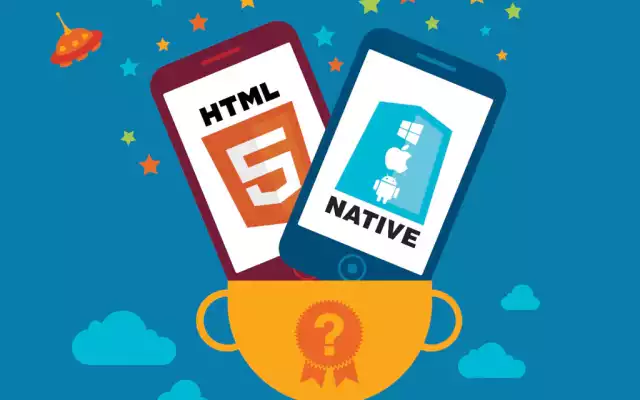
Native vs Hybrid Apps: Choosing the Right Platform
Choosing between native and hybrid apps depends on your goals, budget, and timeline. Dive into the key differences and determine which approach suits your app project best.

Which Android Versions Should Your App Support in 2026?
Google Play now requires new apps and updates to target Android 16, Android 13 stopped receiving security patches in March 2026, and barely half of Android phones run a supported version. Those three facts answer two different questions, and most app owners conflate them. Here is how to set your minimum and target versions for 2026.

AR for Business in 2026: Which Use Cases Actually Paid Off
We wrote about ARKit the month it was announced in 2017 and predicted six industries it would change. Nine years on, one of them produced hard numbers, two changed shape, and three never became businesses. Here is the honest scorecard, and the test we now apply before scoping AR into any product.

ARKit and Core ML, Nine Years On: What Apple's 2017 Bets Became
At WWDC 2017 Apple shipped ARKit and Core ML on the same day, and we wrote about both. Nine years later one has been vindicated so thoroughly it disappeared into the platform, and the other was right about the technology and wrong about the form factor. This is what happened to each, and what it means for how you evaluate a new Apple framework.

Selling Into China: What You Actually Have to Build
Most advice about entering the Chinese market is about marketing and culture. The part that stops projects is neither - it is that you cannot publish a WeChat Mini Program or a mobile app in China without a completed government filing, and obtaining one has prerequisites that take months. Here is the build-side checklist, in the order it bites.