Home fitness has an accountability problem no exercise library solves. Someone training alone in a living room cannot tell whether a squat is deep enough or a back is straight, and has no external reason to come back tomorrow. Fitbotic set out to answer both at once with an unusually literal hook: the app would watch you exercise and pay you for the reps you completed. That put two hard constraints on the engineering from day one. The camera had to be accurate enough that a rep could be trusted, because a miscount was now a financial error rather than a cosmetic one. And it all had to run on an ordinary phone propped against a wall, with no wearable and no server round trip.

How we built a fitness app that counted every rep from the phone camera and paid people for the work.
A camera that counted every rep
Fitbotic was a home fitness app PixelForce designed and built for iOS and Android. The phone camera watched the user exercise, counted each repetition on the device, judged whether the movement was correct, and turned completed reps into a cash rewards balance. PixelForce shipped it across a sequence of releases through 2020 and 2021. The product is no longer operating, and this page is a record of what was built.
Movements with form tracking 12
Release line delivered v1.2 to v2
Platforms iOS + Android
The Problem
The Solution
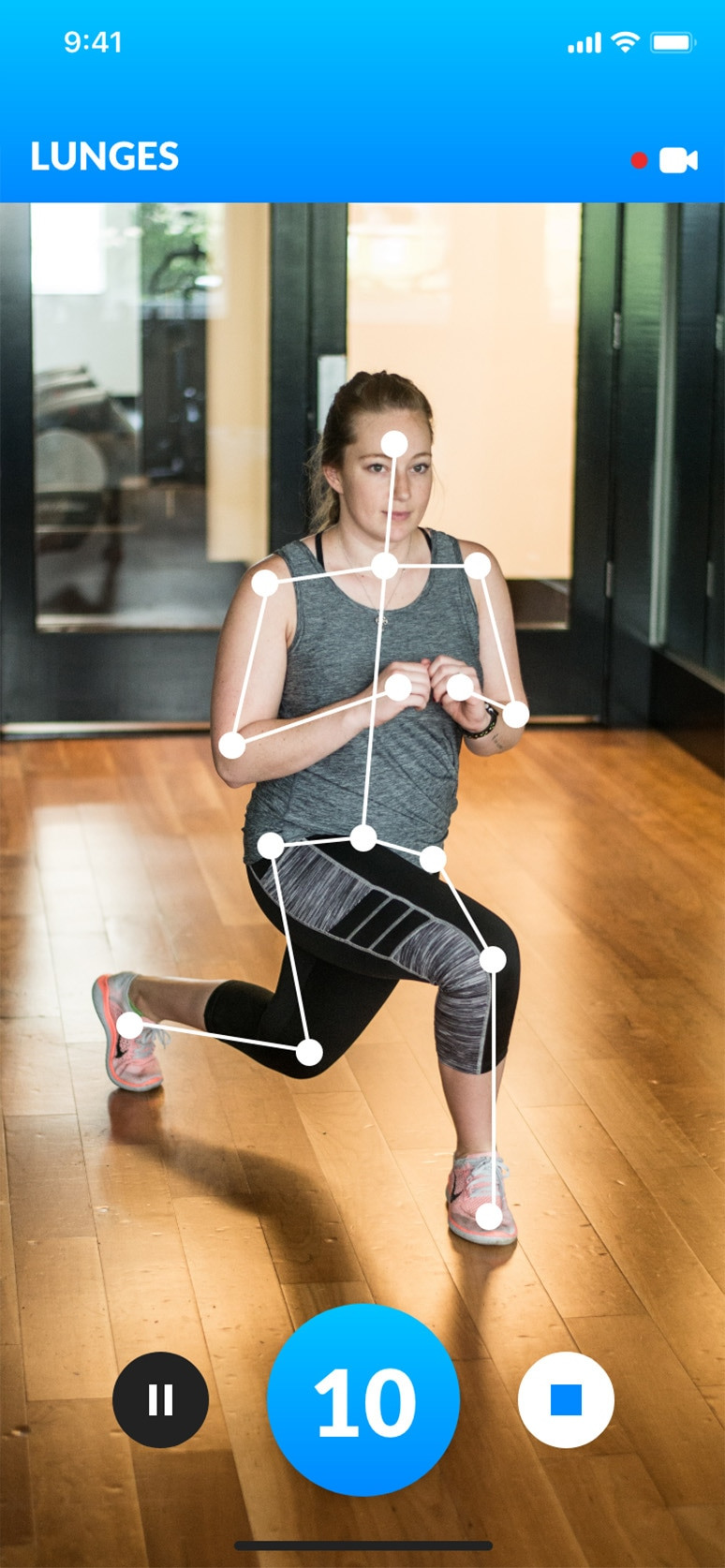
PixelForce designed and built the app for iOS and Android, with an admin content management system behind it. The rep counter ran as a computer vision pipeline on the device itself, reading the camera stream and tracking the user's body position frame by frame rather than sending video anywhere. A calibration step came first, asking the user to tilt the phone until it sat inside a narrow angle band, because pose tracking is only as good as the framing it is given. Over the counter sat a rewards ledger that turned completed reps into daily and weekly goals, tier progression and a real cash balance.
The Outcome
The app shipped on both platforms and PixelForce kept iterating on it through 2020 and 2021, adding per-movement form feedback for twelve exercises, deeplinked friend challenges, native health app sync, and an instrumented onboarding flow built to measure and lift first-session engagement. Fitbotic is no longer available on either app store and the business behind it has wound down. What the engagement demonstrates is the technique: real-time pose tracking, rep counting and form assessment running entirely on a consumer phone, wired to a rewards system that had to be exact.
A fitness app that had to be right about every rep
Fitbotic came to PixelForce with a premise rather than a product: get paid to work out. The user would open the app, prop their phone against a wall, complete a set of star jumps or squats, and earn a small cash reward. Rewards accumulated into a balance that could be spent as a discount code in the Fitbotic online store or withdrawn to PayPal above a minimum. Everything depended on the counter being credible. A fitness app that overstates your progress is annoying; one that overstates your progress while paying you is a liability.
That made this a fitness app project with its centre of gravity in the machine learning rather than the content. There was no coach to film, no program library to license, no wearable to pair with. The product was a camera, a model and a ledger, and each constrained the others. The model had to be fast enough to give feedback inside the same second as the movement, small enough to run on a phone without draining the battery, and consistent enough that the same squat counted the same way twice.
No coach in the room
The app had to tell someone their back was bent or their knees were not high enough, in the moment, from a camera two metres away. That is a different problem from playing back a workout video.
A phone leaning against a wall
Pose tracking degrades badly when the framing is wrong, so the app had to get the phone into a usable position before counting anything, without asking the user to understand why.
Rewards that cost real money
Every counted rep moved a cash balance. The ledger, the goal logic and the redemption flow had to be exact and auditable, not approximate.
Engagement measured, not assumed
Fitbotic instrumented the first session in detail so changes to onboarding could be judged against recorded behaviour rather than opinion.


Fitbotic was not a single handover. PixelForce ran it as a continuing product engagement across 2020 and 2021, with each release scoped in a written solution design, built, tested against a documented test case set, and then measured. The analytics fed straight back into the next round of scoping. That loop is why the onboarding was rebuilt around a first exercise rather than a slideshow, and why form feedback was released movement by movement instead of held back for one large drop.
Hinney Lo Founder & CEO, PixelForce
Book a consultationThe interesting decision on Fitbotic was not the model. It was making the user lean their phone against a wall and tilt it until the screen turned green. Pose tracking is only as good as the framing, so we spent design effort on the twenty seconds before the workout, because that is what made the twenty minutes after it trustworthy.
Swipe to explore
How we built it
The heart of the build was on-device pose tracking. The camera stream was processed on the phone, the user's body position was tracked frame by frame, and repetitions were detected from the motion of those tracked joints, so the count came from the movement itself rather than from a timer or an honour-system tap. Feedback landed inside the same second as the rep and no workout video left the device. The machine learning sat behind a deliberately plain interface: align the circles, raise your hand, start. Before an exercise could begin the app read the phone's tilt and asked the user to lean it forward or back until it sat inside a narrow angle band, turning the screen green when the framing was right. That small piece of interaction design does most of the work, because it removes the largest single cause of a bad count.
Form assessment was layered on afterwards, movement by movement. Twelve exercises - star jump, squat, lunge, squat jump, knee tuck jump, high knees, tricep dips, side step, arm circle, push up, inchworm and lunge with knee raise - each carried their own definition of a good and a bad repetition and their own spoken cues, so a squat was judged on back angle, knee alignment and depth. Coverage was released gradually, and trained exercises carried a badge so users knew which ones would correct them. Every release moved through structured quality assurance against a written test case set before submission.
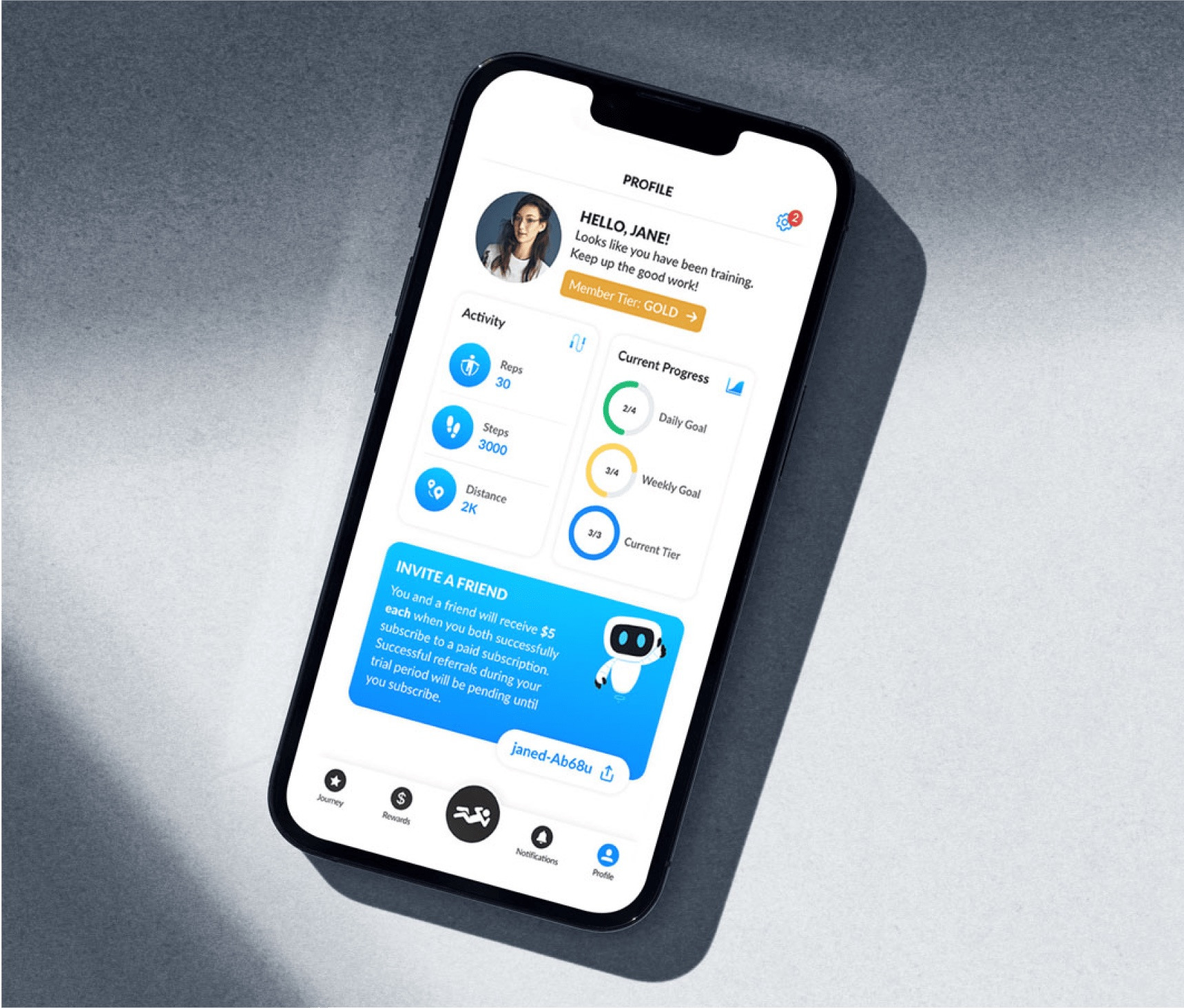
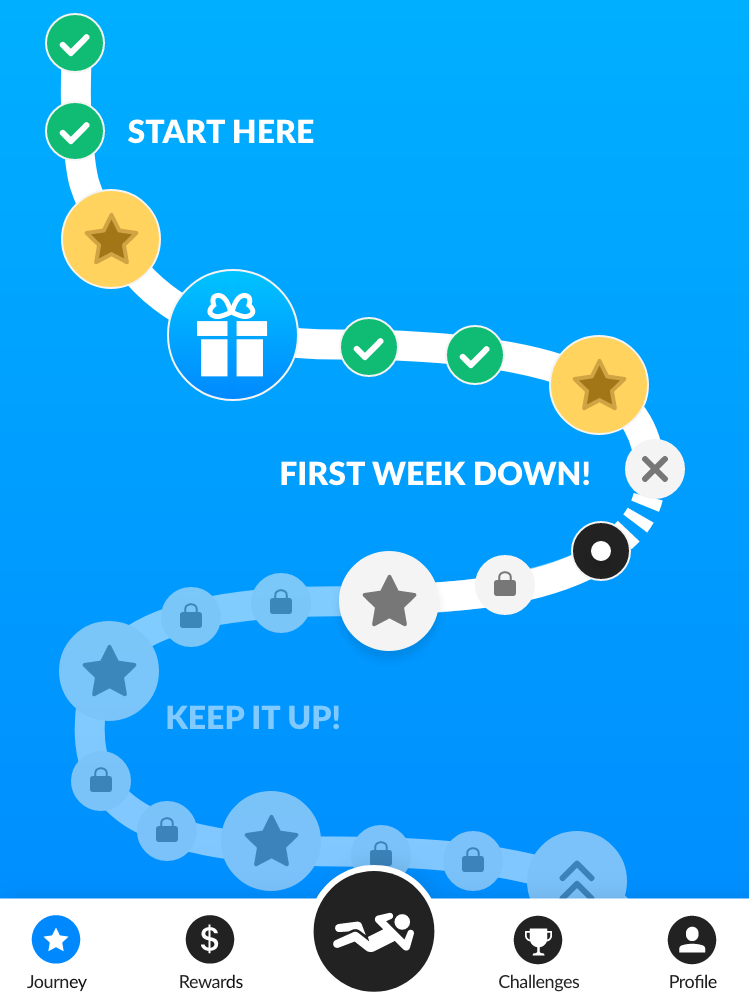
The rewards system was the commercial half of the product and was built to the same standard as the counter. Completed reps fed daily goals, weekly goals and Bronze, Silver and Gold tiers, all configured from the admin CMS along with the audio commentary, background music and in-app banners, so the client could change the economics and the tone of the app without a release. A premium tier was sold through in-app purchases. Later releases added deeplinked friend challenges, push notifications for users who had installed but not trained, and writes into Apple Health and Google Fit. A full user onboarding rebuild moved the first exercise into the tutorial itself, instrumented end to end so its effect on user retention could be measured rather than guessed at.
Align · Raise · Rep
Counted on the device, paid from the ledger.
Real-time pose tracking and rep counting, running on a phone propped against a wall.
- On-device rep counting
- Phone angle calibration
- Smart Accuracy form feedback
- The rewards ledger
- Challenges and notifications
- Health sync and a CMS-driven app
01 06
On-device rep counting
The phone camera tracked the user's body position frame by frame and detected repetitions from the movement of those tracked joints. Processing happened on the device, so the count and the spoken feedback arrived inside the same second as the rep, and no workout footage was sent anywhere.
02 06
Phone angle calibration
Before an exercise started, the app read the phone's tilt and asked the user to lean it forward or back until it sat inside a narrow angle band. Two circles moved apart as the angle drifted and the screen stayed red until the framing was correct, at which point it turned green and the workout button became active. It is the least glamorous screen in the product and the one that made the rest work.
03 06
Smart Accuracy form feedback
Twelve movements carried their own definition of a correct repetition and their own coaching cues, delivered as audio and on screen. A squat was checked for a straight back, knees in line with the toes and enough depth; knee raises were checked for height. Coverage was released gradually, and trained exercises carried a badge so users knew which would correct them.
04 06
The rewards ledger
Completed reps fed daily goals, weekly goals and Bronze, Silver and Gold tier progression, all resolving into a cash rewards balance, redeemed as a discount code against the Fitbotic online store or withdrawn to PayPal above a minimum. Because the balance was real money, the goal logic and the redemption flow were treated as financial code rather than game mechanics.
05 06
Challenges and notifications
Finishing a workout produced a shareable deeplink carrying the rep count and the elapsed time. A friend who opened it went straight into the same set with a time to beat, and both users were notified of the result. Users who had installed but not yet trained received a reminder at the twenty-four hour mark.
06 06
Health sync and a CMS-driven app
Workout duration was written into Apple Health and Google Fit so Fitbotic sessions sat alongside the rest of a user's health record. The admin CMS controlled the audio commentary, the background music, the in-app banners and the store catalogue sync, so the tone and the economics of the app could change without shipping a release.
Services on the Fitbotic build
Frequently Asked Questions
Fitbotic was a home fitness app for iOS and Android, designed and built by PixelForce, an Australian digital product agency. It used the phone camera to track the user's body position, count repetitions on the device and give real-time feedback on exercise form, and it turned completed reps into a cash rewards balance that could be spent in the Fitbotic online store or withdrawn to PayPal. PixelForce shipped it across a sequence of releases through 2020 and 2021.
No. Fitbotic is no longer listed on the Apple App Store or Google Play, and the business behind it has wound down. This page is published as a record of the engineering PixelForce delivered, not as a link to a live product. Nothing here should be read as a claim that the app can be downloaded today.
The app ran a computer vision pipeline on the phone itself. It read the camera stream, tracked the user's body position frame by frame, and detected a repetition from the motion of those tracked points rather than from a timer or a manual tap. Form was assessed per movement against explicit rules, so a squat was judged on back angle, knee alignment and depth. Because processing was local, feedback arrived in the same second as the movement and no video left the device.
Yes, and for a real-time coaching product it generally has to. Streaming video to a server adds a delay that makes feedback useless for correcting a movement in progress, a bandwidth cost on every workout, and a privacy exposure users notice. Running the model on the device removes all three. The trade-off is that the model must be small and fast enough for consumer hardware, which constrains the architecture from day one rather than at the end.
Cost depends on scope, and scoping and development are priced separately at PixelForce. Phase 1 Scoping and Design comes first, and Phase 2 Development, QA and Release is quoted against the fixed-cost Statement of Work that Phase 1 produces. A computer vision product costs more than a conventional app, because the model work, the calibration experience and the accuracy testing are all in addition to the app itself. The exact cost is fixed in that Statement of Work at the end of Phase 1.
Longer than a content-driven fitness app, because accuracy has to be earned rather than designed. PixelForce runs every engagement in the same sequence: a free consultation, then Phase 1 Scoping and Design producing a Business Requirements Document, UX/UI design, a Product Requirements Document and a fixed-cost Statement of Work, then Phase 2 Development, QA and Release, then Phase 3 Post Launch Support. Scoping and design always precedes development, so the timeline is fixed once the product is defined.
Yes. Phase 3 Post Launch Support is a standing part of every PixelForce engagement, offered as a warranty, monitoring and support option on a flat monthly fee, or as a product retainer priced per four-week cycle against a committed story-point capacity, in tiers named Steady, Growth, Scale, Velocity and Momentum, with Enterprise on application. Fitbotic was run that way: not a single handover but a continuing engagement across a sequence of releases, with recorded user behaviour feeding into the scope of the next one.
Up next
More products we have designed, built and launched end to end.
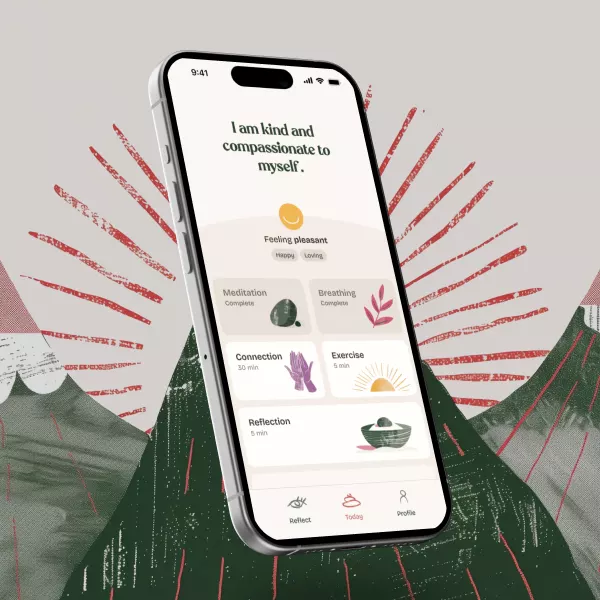
Mumsly A mental day spa for motherhood
How we built Mumsly, a maternal wellness app for the first year after birth, now rated 5.0 from 25 ratings on the Australian App Store.
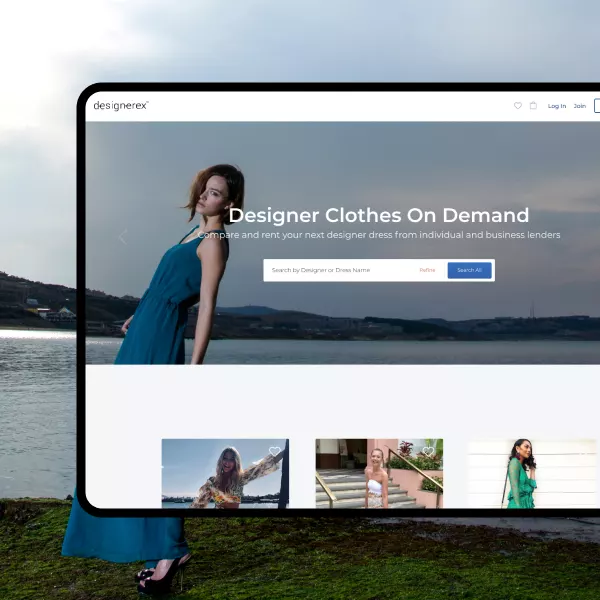
Designerex From offshore drift to onshore control
An onshore rescue and replatform of a peer-to-peer designer dress-sharing marketplace, without taking a live marketplace offline.